- Docs
- Variables
- Dates and time
Variables
Dates and time
Insert today’s date, a date in the future or past, the weekday, or a date you pick.
On this page
{{date}}, {{time}} and {{datetime}} Free#
The current date, time, or both, when the snippet is inserted. Without a format they use YYYY-MM-DD, HH:mm and YYYY-MM-DD HH:mm.
{{date}} · {{time}} · {{datetime}}Result
2026-09-08 · 14:05 · 2026-09-08 14:05Custom formats#
Add a format after a colon. Format letters are replaced and everything else is kept:
| Token | Meaning | Example |
|---|---|---|
YYYY | Four-digit year | 2026 |
MM | Month, two digits | 09 |
DD | Day, two digits | 08 |
HH | Hour, 24-hour clock | 14 |
mm | Minutes | 05 |
ss | Seconds | 09 |
Day first Free
{{date:DD/MM/YYYY}}Result
08/09/2026US order with seconds Free
{{date:MM-DD-YYYY}} at {{time:HH:mm:ss}}Result
09-08-2026 at 14:05:09In an ID Free
Invoice INV-{{date:YYYYMMDD}}Result
Invoice INV-20260908Locale dates#
Use {{date:locale}} for a date written the way your locale writes it. If you choose a locale in Settings → Advanced → Locale, plain {{date}}, {{time}} and {{datetime}} also follow it.
Locale format Free
{{date:locale}}Locale: en-US
Result
Sep 8, 2026With a locale chosen Free
{{date}} · {{datetime}}Locale: en-GB
Result
8 Sept 2026 · 8 Sept 2026, 14:05{{dateshift}} Pro#
A date before or after today: {{dateshift:shift|format}}. The shift is one or more steps of a sign, a number and a unit:
| Unit | Meaning | Example |
|---|---|---|
d | Days | +3d |
w | Weeks | -1w |
m | Months | +2m |
y | Years | +1y |
h | Hours | +4h |
Combine steps like +1m+2d. The format is optional and uses the same tokens as {{date}}.
Three days from now Pro
Reply by {{dateshift:+3d}}Result
Reply by 2026-09-11With a format Pro
Last week: {{dateshift:-1w|DD/MM/YYYY}}Result
Last week: 01/09/2026Combined steps Pro
{{dateshift:+1m+2d}} · {{dateshift:+1y}}Result
2026-10-10 · 2027-09-08Hours Pro
Call back {{dateshift:+25h|YYYY-MM-DD HH:mm}}Result
Call back 2026-09-09 15:05Month and year shifts keep the same day when it exists, otherwise they use the last day of the month: from 31 January, +1m gives 28 February (29 in a leap year).
{{weekday}} Pro#
Today’s weekday. Add short for the abbreviated name. The name is in English unless you choose a locale in Settings.
Happy {{weekday}}! ({{weekday:short}})Result
Happy Tuesday! (Tue)In another language Pro
Boa {{weekday}}!Locale: pt-BR
Result
Boa terça-feira!{{datefield}} Pro#
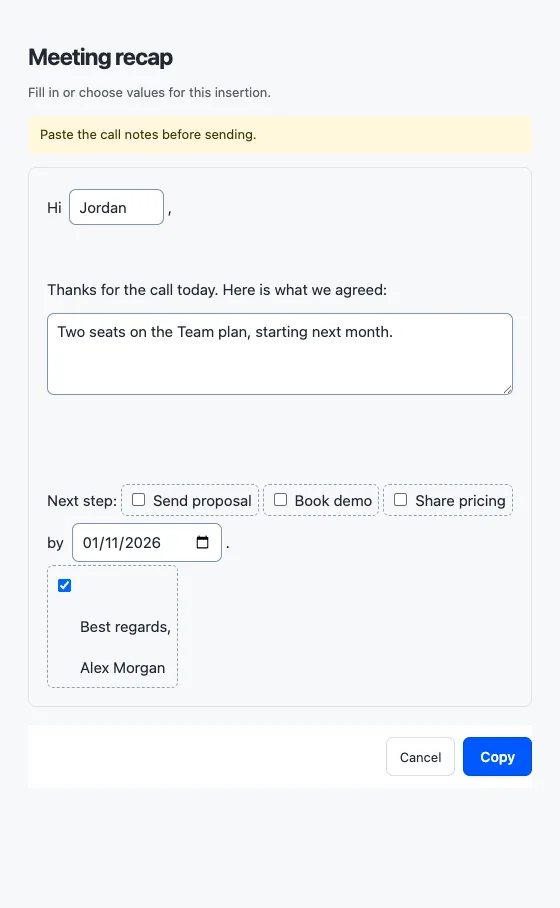
Asks you to pick a date in the fill-in window: {{datefield:Label|format}}. It starts on today. Without a format, the date is inserted as YYYY-MM-DD.
Due {{datefield:Due date|DD/MM/YYYY}}You fill in
- Due date
- 2026-12-25
Result
Due 25/12/2026Date fields also understand longer formats:
| Token | Meaning | Example |
|---|---|---|
YYYY / yyyy | Year | 2026 |
yy | Two-digit year | 26 |
MMMM | Month name | December |
MMM | Short month name | Dec |
MM / M | Month number, with or without a leading zero | 12 |
DD / dd / d | Day, with or without a leading zero | 25 |
EEEE / EEE | Weekday name, full or short | Friday / Fri |
'text' | Text in single quotes is kept as is | 'at' |
Long format Pro
Delivery: {{datefield:Delivery|EEEE d MMMM yyyy}}You fill in
- Delivery
- 2026-12-25
Result
Delivery: Friday 25 December 2026