
The LazyBoard journal
Guides, ideas, and small ways to type a little less.
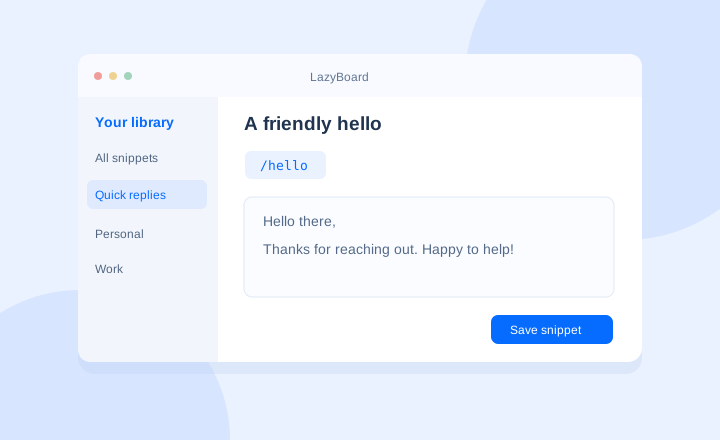
How to Set Up Text Expansion on Your Desktop
Create your first LazyBoard text shortcut, enable Mac insertion permissions, organize snippets, and understand local storage and sync.
Read the guide →Explore the articles
20 articles
10 Best Text Expanders for Windows, Mac & Chrome (2026)
Compare 10 text expanders by platform, free plans, pricing, and workflow. Find a fit for saved replies, Chrome templates, team libraries, or automation.
How to Import Mobile Snippets into LazyBoard Desktop
Import LazyBoard mobile exports into desktop. Learn which files work, what happens to folders and variables, and how to avoid duplicate copies.
How to Organize Text Snippets So You Can Find Them
Organize saved replies with useful folder names, memorable shortcuts, and a simple review routine for a growing snippet library.
How to Write Canned Responses That Still Sound Personal
Build reusable customer service replies that answer the question, explain the next step, and leave room for a personal response.
10 Text Expander Examples to Start Using Today
Start a useful snippet library with ten text expander examples, shortcut ideas, and a simple way to choose what to save first.
Text Blaze Alternatives for Saved Replies and Forms
Compare alternatives to Text Blaze for browser replies, desktop snippets, and fill-in templates. Learn what to test before moving your library.
aText Alternatives: Browser or Desktop Text Expansion?
Explore alternatives to aText for browser snippets, reusable replies, and desktop automation. Compare formatting needs and test a small library first.
Espanso Alternatives: Visual Snippet Editors and More
Compare Espanso’s configuration-based workflow with visual snippet editors. Learn how to move simple replies and identify commands that need rebuilding.
How to Set Up Text Expansion on Your Desktop
Create your first LazyBoard text shortcut, enable Mac insertion permissions, organize snippets, and understand local storage and sync.
How to Use a Text Expander in Chrome
Set up LazyBoard in Chrome, create text shortcuts, insert saved replies, and troubleshoot shortcuts that do not expand.
Text Expander Variables: Names, Dates and Choices
Copy practical LazyBoard snippet examples with fill-in fields, dates, dropdown choices, clipboard text, and cursor placement.
4 TextExpander Alternatives: What to Compare
Compare LazyBoard, aText, PhraseExpress, and Espanso by workflow. Use a practical checklist for platform support, snippets, backups, and pricing.
LazyBoard Mobile Variables: Personalize Saved Phrases
Use placeholders, dates, choices, clipboard text, and cursor markers in the LazyBoard mobile keyboard. Includes the mobile variable syntax.
How to Use Saved Replies on Android with LazyBoard
Set up the LazyBoard Android keyboard, choose your input method, and insert frequently used phrases into messages and forms.
LazyBoard Mac Accessibility Setup: Original App Guide
Enable Accessibility for the original LazyBoard Mac app. Find the current desktop setup guide if you downloaded LazyBoard from this website.
LazyBoard vs TextExpander: Which Fits Your Workflow?
Compare LazyBoard and TextExpander for personal snippets, browser replies, mobile keyboards, and team workflows before choosing a text expander.
How to Set Up the LazyBoard Keyboard on iPhone and iPad
Enable the LazyBoard keyboard on iPhone or iPad, add reusable phrases, and switch keyboards to insert replies into your messages.
How to Export and Import LazyBoard Mobile Phrases
Back up and transfer your LazyBoard mobile phrases with export and import. Learn when to add phrases or replace an existing library.
LazyBoard Paste Permission on iPhone: What to Check
Understand the iOS paste permission prompt and find the Paste from Other Apps setting when importing clipboard text into LazyBoard.
Restore Your LazyBoard Purchase on iPhone and iPad
Restore an existing LazyBoard iOS purchase using the same Apple Account, and understand why mobile purchases and desktop plans are separate.