
Updated October 8, 2026. Screenshots use sample data in an isolated demo of LazyBoard’s extension interface and insertion code.
Install LazyBoard and open your dashboard
- Open LazyBoard in the Chrome Web Store on your computer and choose Add to Chrome. Review Chrome’s permission prompt before confirming.
- Open Chrome’s Extensions menu (the puzzle-piece icon) and pin LazyBoard so you can find it easily.
- Open LazyBoard and choose Open dashboard.
- Refresh any webpages that were open before installation.
The dashboard is where you create folders, edit snippets, and manage settings. You can start with a local library without signing in.
Create a reply you use often
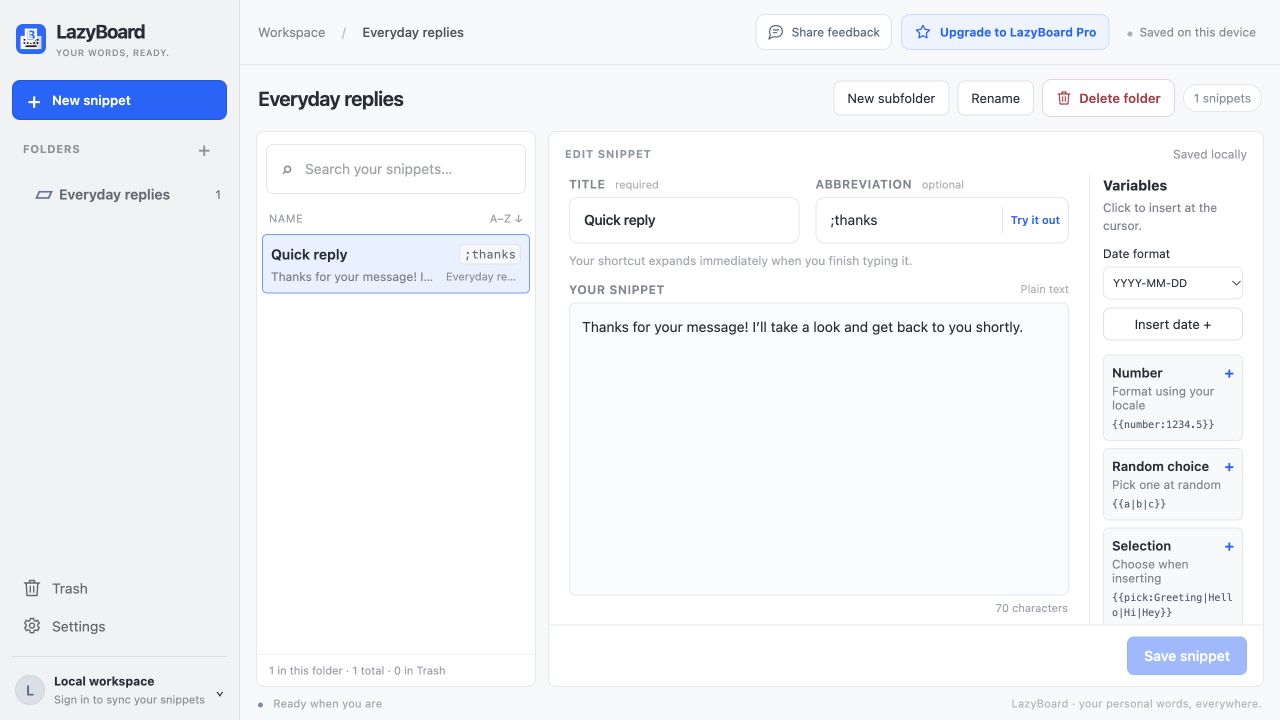
- Choose New snippet. If your library has no folders, LazyBoard creates one for you.
- Use Quick reply as the title and
;thanksas the abbreviation. - Enter Thanks for your message! I’ll take a look and get back to you shortly.
- Choose Save snippet. Your title helps you find the reply; the abbreviation is what you type to insert it.
Choose an abbreviation you would not normally type, so your reply does not expand unexpectedly.
Try your shortcut on a webpage
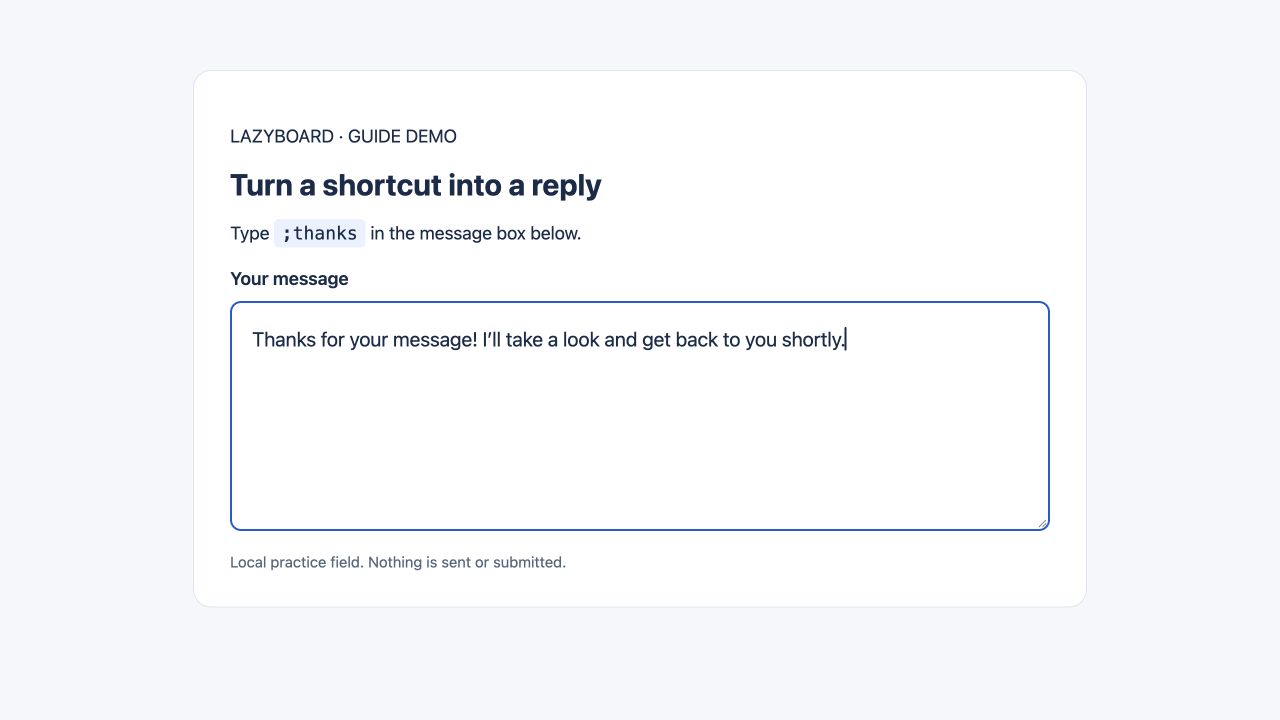
- Open a supported message editor or normal text box on a website. Use an unsent draft for your first test.
- Click inside the field so the text cursor is visible.
- Type
;thanks. When you finish the abbreviation, LazyBoard should replace it with your saved reply. - Read the result before sending. You can continue editing the inserted text.
Insert without remembering an abbreviation
- Click the text field where your reply should go.
- Open the LazyBoard extension and search for your snippet.
- Choose Insert. If the page cannot accept insertion, choose Copy and paste the reply yourself.
If a shortcut does not expand
- Refresh webpages that were open before installing or updating the extension, then try again.
- Check that Chrome allows LazyBoard access to the current website.
- Make sure expansion is not paused and the website is not excluded in LazyBoard Settings.
- Try a normal text field. Password fields, Chrome settings pages, and some complex editors do not support insertion.
- Check that the abbreviation matches the one you saved.
Use Share feedback to report the website and the steps that failed. Do not include passwords or private messages.
Keep your snippets available
Local snippets are kept in your browser profile. Cloud sync requires LazyBoard Pro and a signed-in account; see Free and Pro limits. Export unsynced local snippets from Settings before removing the extension or clearing its data.
Make a reply more flexible
Add a name field or a selection list when one saved reply needs small changes. The variables guide includes examples you can copy. If you also use the desktop app, see the desktop setup guide.