Free
$0
- 10 snippets and 3 folders
- Local, offline use
- No account needed
 LazyBoardSign in
Save the replies, signatures, and details you type every day. Type a short shortcut in a supported app and LazyBoard inserts the full text.
Free plan · Installs from Microsoft Store · Works offline
Get LazyBoard from the Microsoft Store. Updates arrive through the Store, and Windows does not need the Accessibility permission the Mac app asks for.
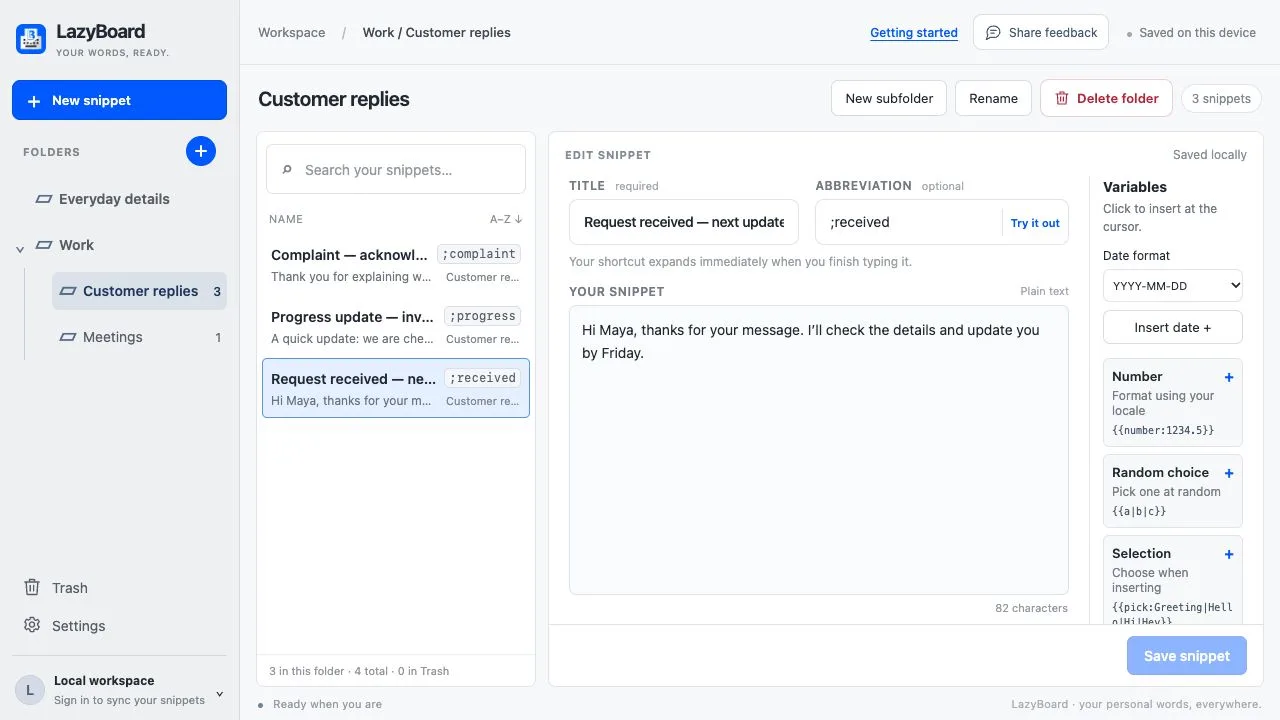
Create a snippet with a title and an abbreviation you would not normally type, such as ;thanks. Use Try it out to test it.
Type the abbreviation in a supported app or text field, or press Ctrl Shift Space to search your library and insert.
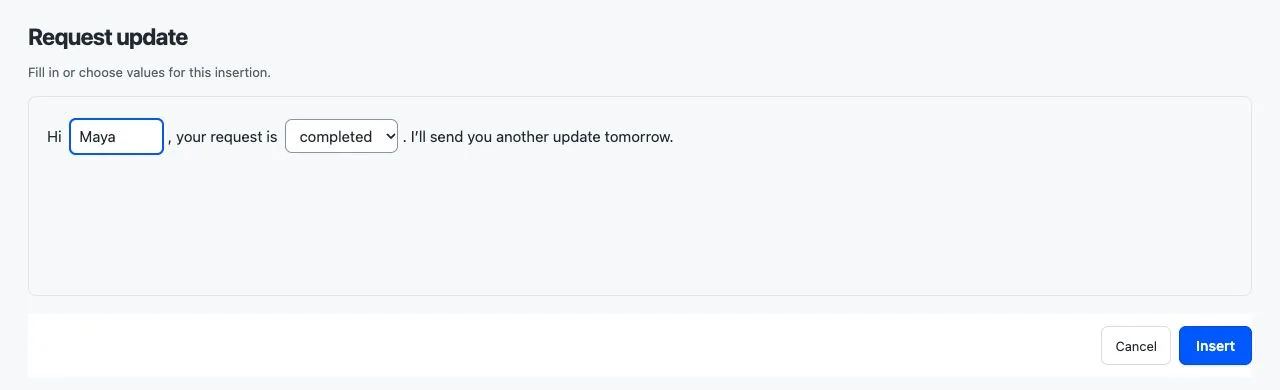
Add a name field, a list of choices, today’s date, a number, random text, or your clipboard to a saved reply. LazyBoard asks for the values when you insert it.
Forgot a shortcut? Open the picker, search your library, and insert the reply you need.
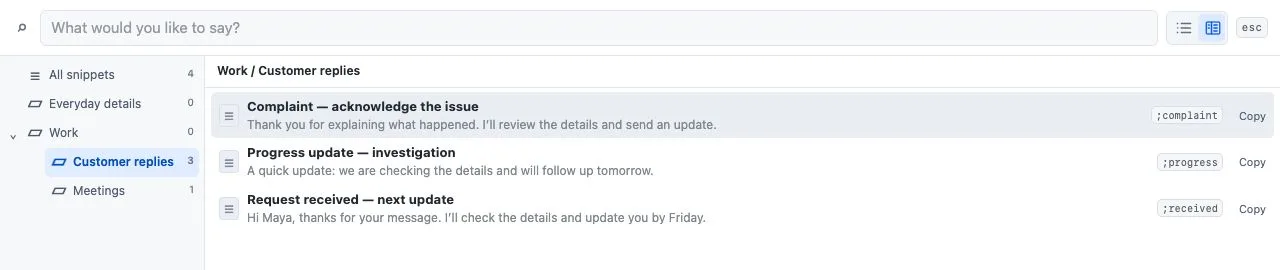
Use shortcuts or the snippet picker in supported desktop apps and text fields. Some apps and editors restrict insertion; choose Copy in the picker and paste with Ctrl V when that happens.
Add the Chrome extension for website editors. With LazyBoard Pro, the same account keeps your library in sync between them.
Windows 10 version 2004 or later, and Windows 11. Install LazyBoard from the Microsoft Store, which also delivers updates.
Not one that works across apps. Windows has no text replacement list like macOS. Word AutoCorrect works only inside Office, and PowerToys can make a key combination type a phrase. LazyBoard expands abbreviations in supported apps and text fields.
No. The Accessibility step in the setup guide is only for Mac, so you can skip it on Windows.
It works in supported apps and text fields. Some apps and editors restrict insertion; use Copy in the snippet picker and paste instead.
Yes, with LazyBoard Pro. Sign in to the same account in the Windows app and the Chrome extension.
No. Mobile libraries are separate. Use the import guide to bring your phone phrases into the desktop app.