Free
$0
- 10 snippets and 3 folders
- Local, offline use
- No account needed
 LazyBoardSign in
Use the same shortcuts in the Mac app, the Windows app, and the Chrome extension. Sign in to one account and LazyBoard Pro keeps your snippet library in sync between them.
Free plan on each computer · Sync with Pro · Works offline
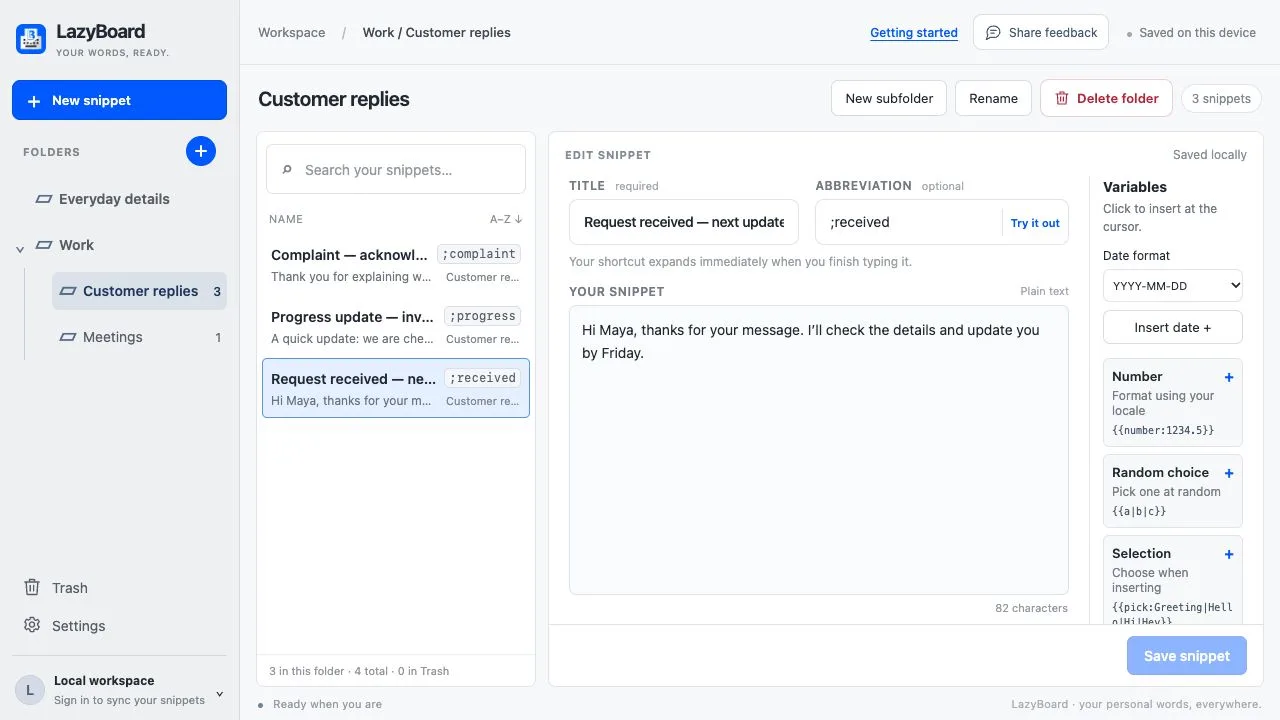
Get the Mac app, the Windows app from the Microsoft Store, or the Chrome extension. Use one of them or all three.
Sign in with the same LazyBoard account in each one. With LazyBoard Pro, a snippet you add or edit on one computer syncs to the others.
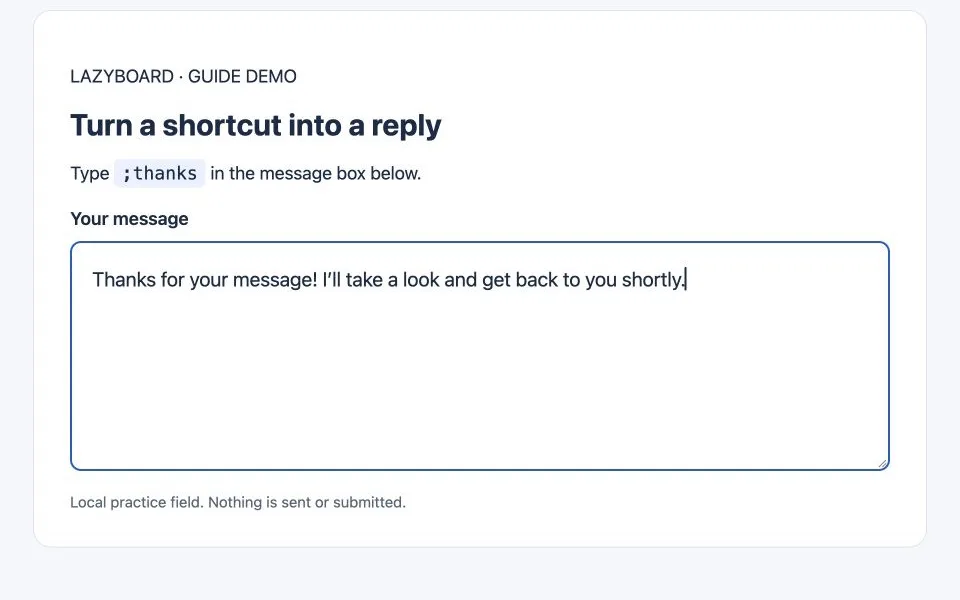
Type an abbreviation such as ;thanks in any of them, or search your library and insert a reply when you forget the shortcut.
Your folders, abbreviations, and fill-in fields travel with your library, so a reply saved on your Mac works the same way in the Windows app and in Chrome.
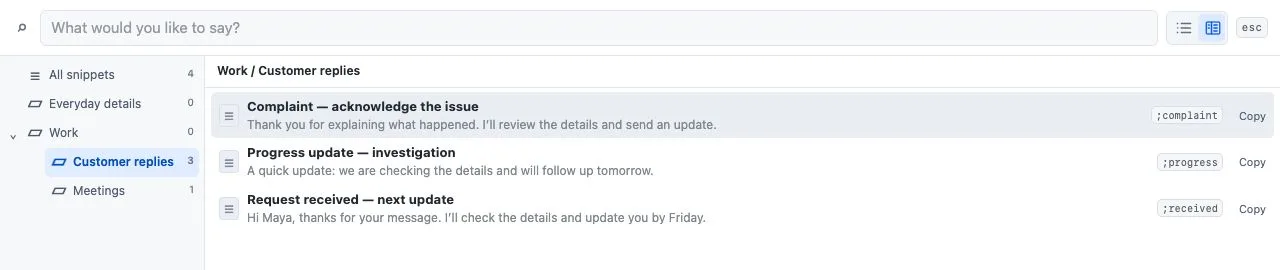
Forgot a shortcut? Open the picker, search your library, and insert the reply you need.
On iPhone, iPad, and Android, LazyBoard is a phrase keyboard app with its own library and purchases. It does not sync with the desktop apps or the Chrome extension yet.
To use your phone phrases on a computer, import them into the desktop app once.
Yes, with LazyBoard Pro. Sign in to the same account in the Mac app, the Windows app, and the Chrome extension, and your library stays in sync between them.
No. The free plan keeps up to 10 snippets in 3 folders on each computer or Chrome profile, with no account. Sync between devices is part of Pro, which costs US$4 a month or US$30 a year.
LazyBoard has a separate phrase keyboard for iPhone, iPad, and Android. Its library does not sync with the desktop apps or the Chrome extension yet; use the import guide to bring phone phrases to your computer.
No. The desktop apps are for Mac and Windows. If you need Linux, Espanso is a free option that supports it; our comparison of 10 text expanders lists the platforms for each tool.