Free
$0
- 10 snippets and 3 folders
- Local, offline use
- No account needed
 LazyBoardSign in
Expand shortcuts, fill in names, choose values, and organize your library in the browser. No desktop app needed.
Free plan · No account needed · Works offline
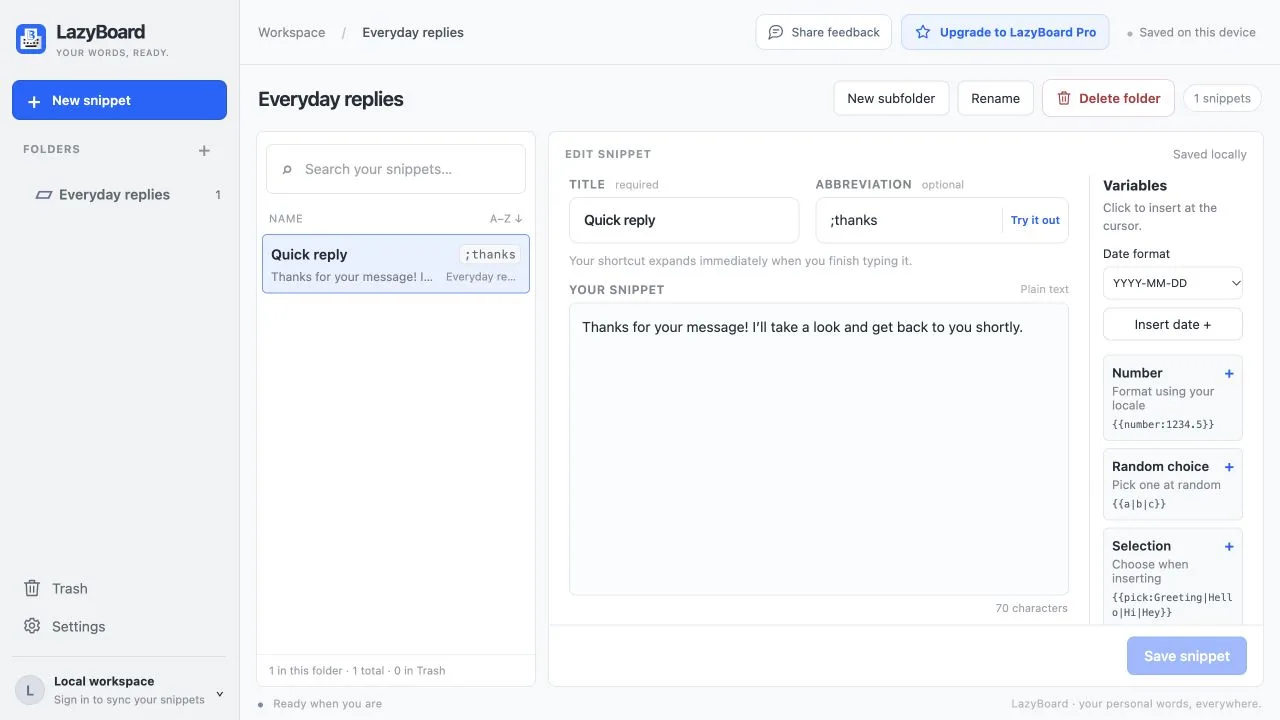
Open the extension, choose Open dashboard, and create a snippet with a title and an abbreviation you would not normally type, such as ;thanks.
Type the abbreviation in a supported text field on a website. It expands as soon as you finish typing it, and you can keep editing before you send.
Open the extension popup, search your library, and insert into the field you selected. Choose Copy when a page does not allow insertion.
Save the replies you send most, then type a few characters to insert them. Add fill-in fields when a message needs a name, a choice, a date, or your clipboard text.
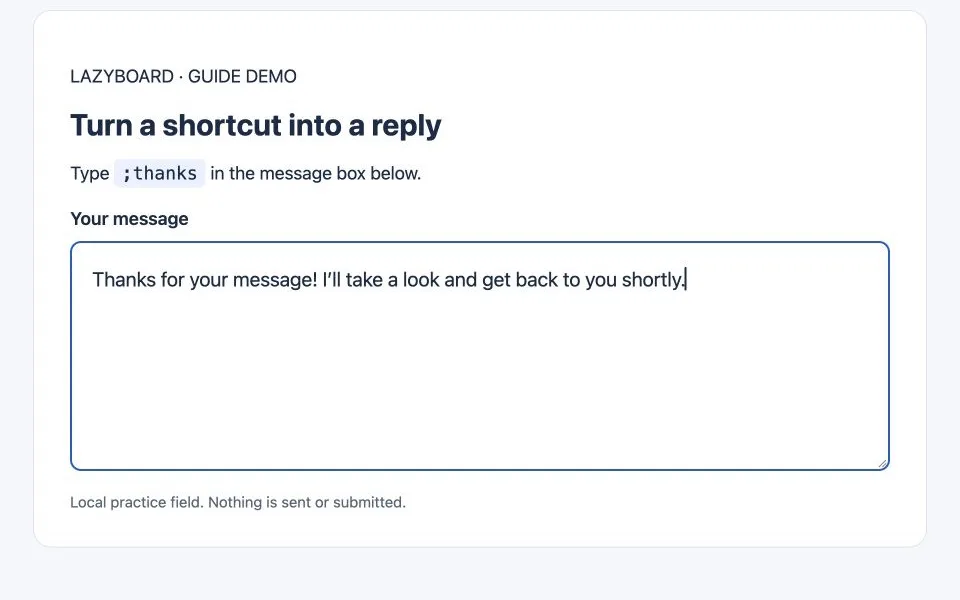
Ordinary text fields and contenteditable editors are supported. Browser settings, the Chrome Web Store, password fields, and some complex editors do not allow insertion; use Copy when that happens.
Clipboard variables need clipboard access, and may be unavailable on insecure HTTP pages. Removing the extension also removes unsynced local snippets, so export a backup from Settings first.
No. The Chrome extension works on its own. Choose a desktop app as well if you want shortcuts in desktop applications.
No. Your snippets are saved in your Chrome profile. Sign in only if you want LazyBoard Pro cloud sync with your other devices.
Refresh pages that were open before you installed or updated the extension, check that Chrome allows LazyBoard on the site, and make sure expansion is not paused or the site excluded in Settings. Then try a normal text field.
Yes. Sign in to the same account in the Chrome extension and the Windows or Mac app; LazyBoard Pro syncs your library between them.