Desktop
Original Mac App Store app guide. For the desktop app, use our desktop getting-started guide.
We support macOS for LazyBoard, you can download it from here
Here is a step-by-step guide on how to install the LazyBoard keyboard on macOS
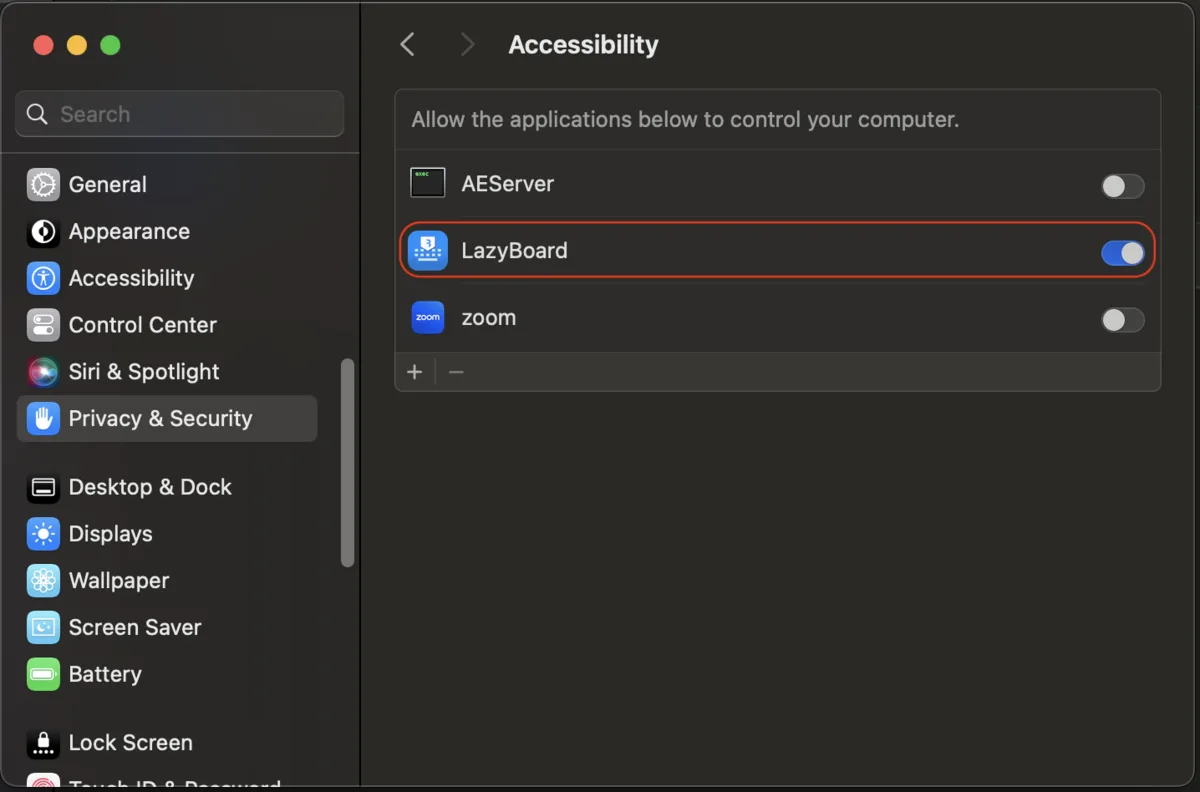
- To use LazyBoard in macOS, LazyBoard needs accessibility permission to insert your phrases anywhere.
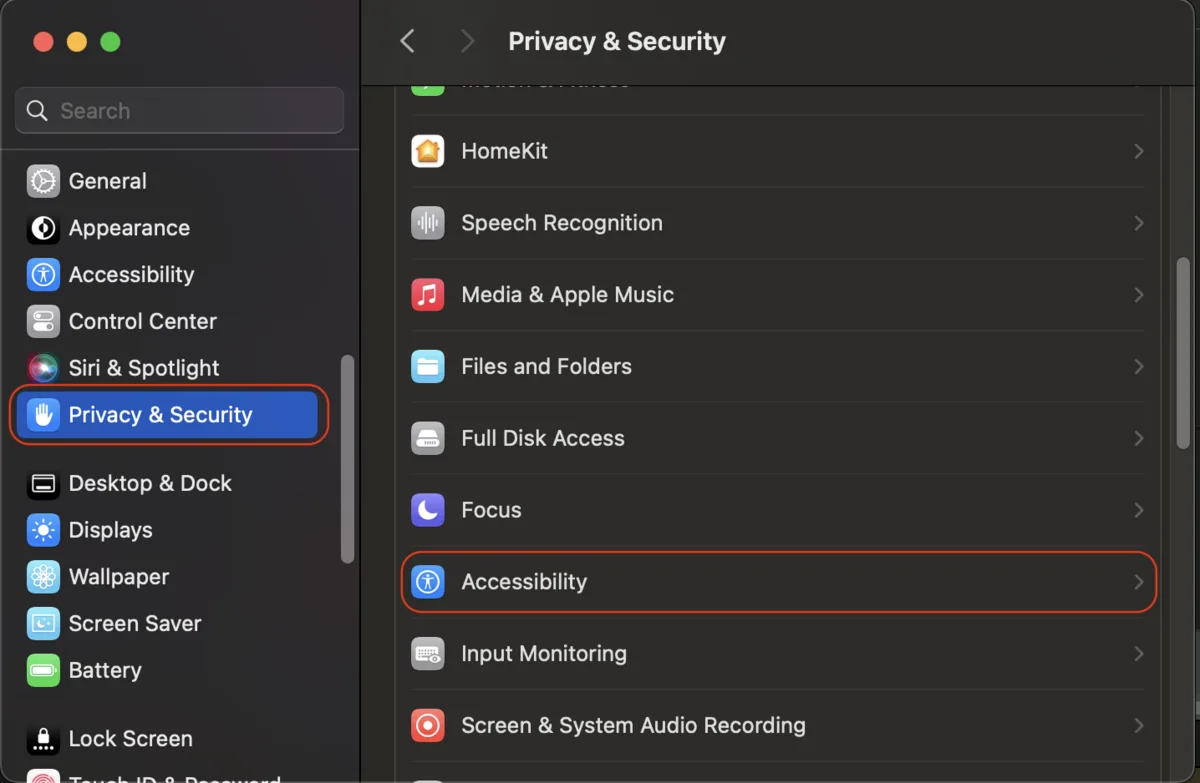
- Open Settings > Privacy & Policy > Accessibility
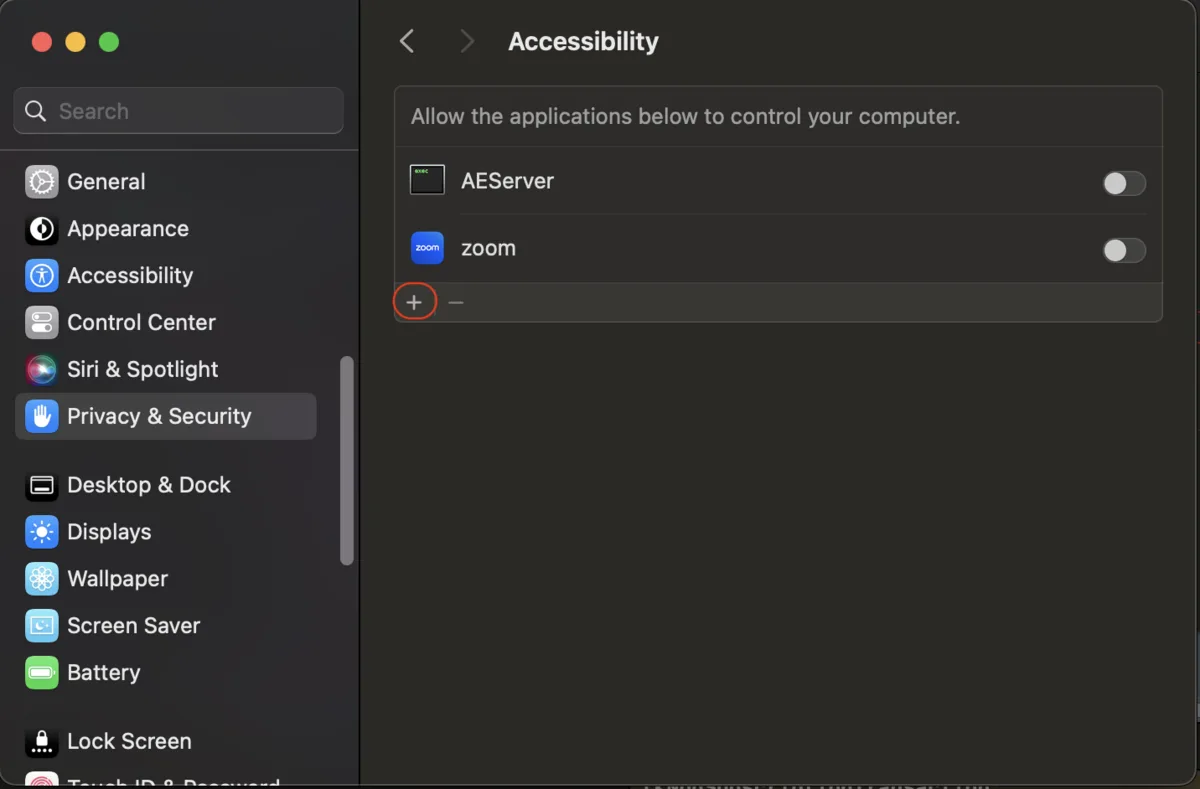
- Click + to add LazyBoard
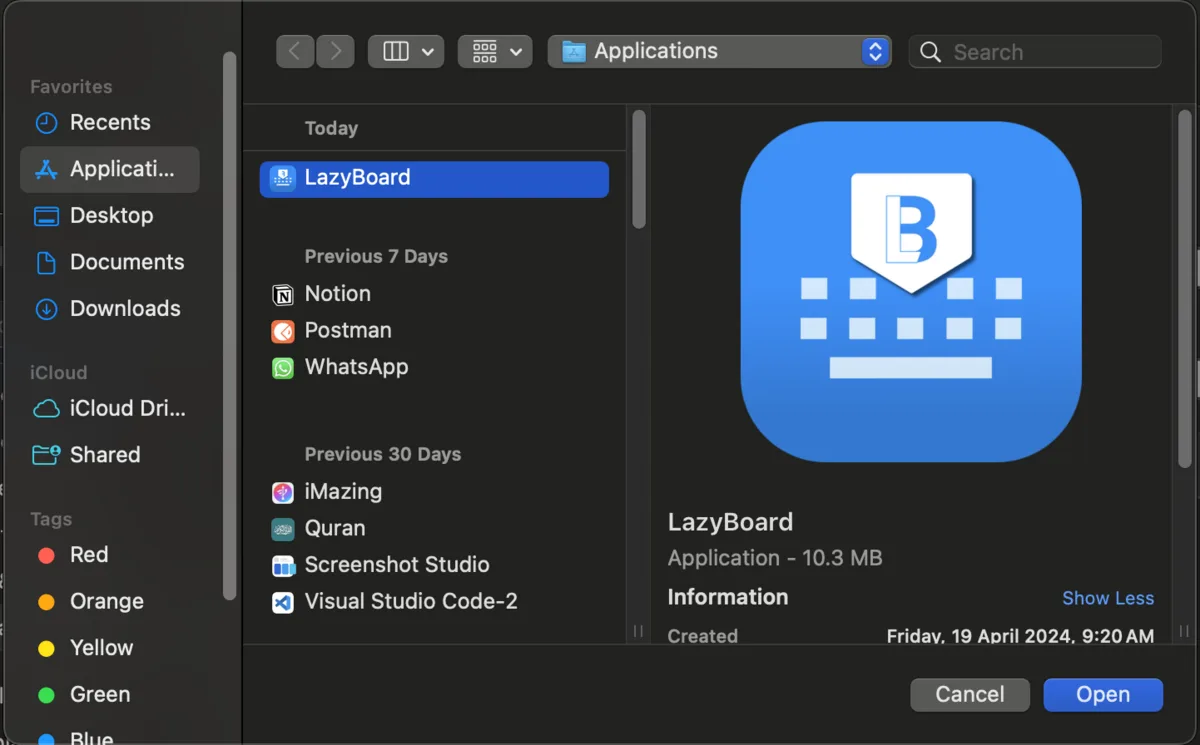
- Search about LazyBoard, and select it
- Make sure you enabled LazyBoard in Accessibility list