
Mobile
From the original LazyBoard blog. This article describes the existing mobile or Mac App Store app; its features, prices, and comparisons may differ from the new desktop app and Chrome extension.
You sure can! It's no extra charge.
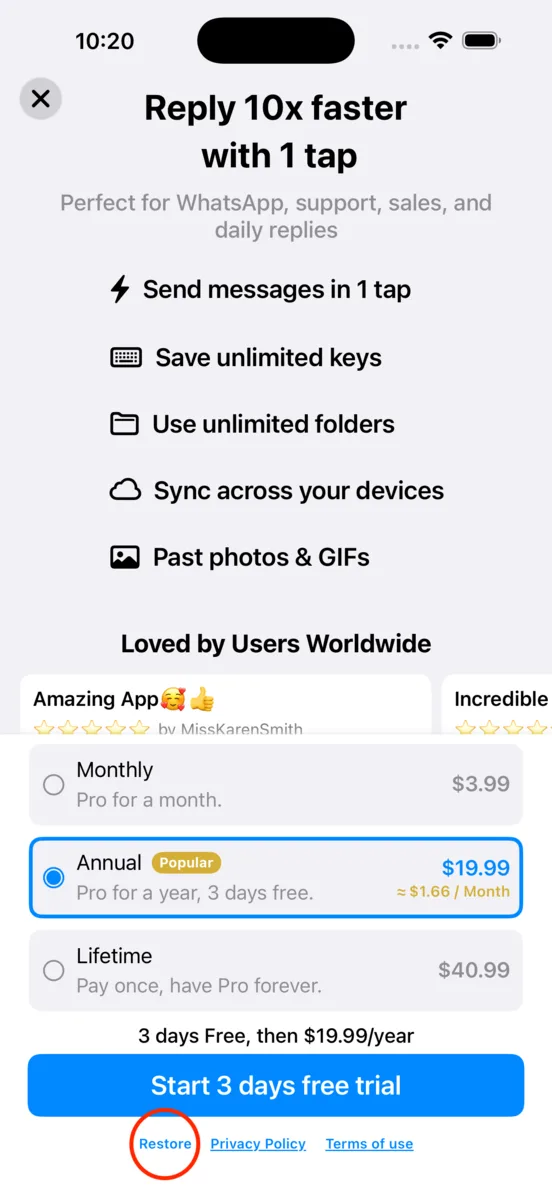
- Make sure you are signed in to the same Apple Account on both devices.
- Purchase the Pro upgrade on one device (if you haven't already).
- Click on 'Restore'.
Does this include desktop or Chrome?
No. This guide covers restoring an iOS purchase. Desktop and Chrome use separate accounts and plans; see desktop pricing. Restore does not transfer your saved phrases. Use the mobile export and import guide to transfer your library.